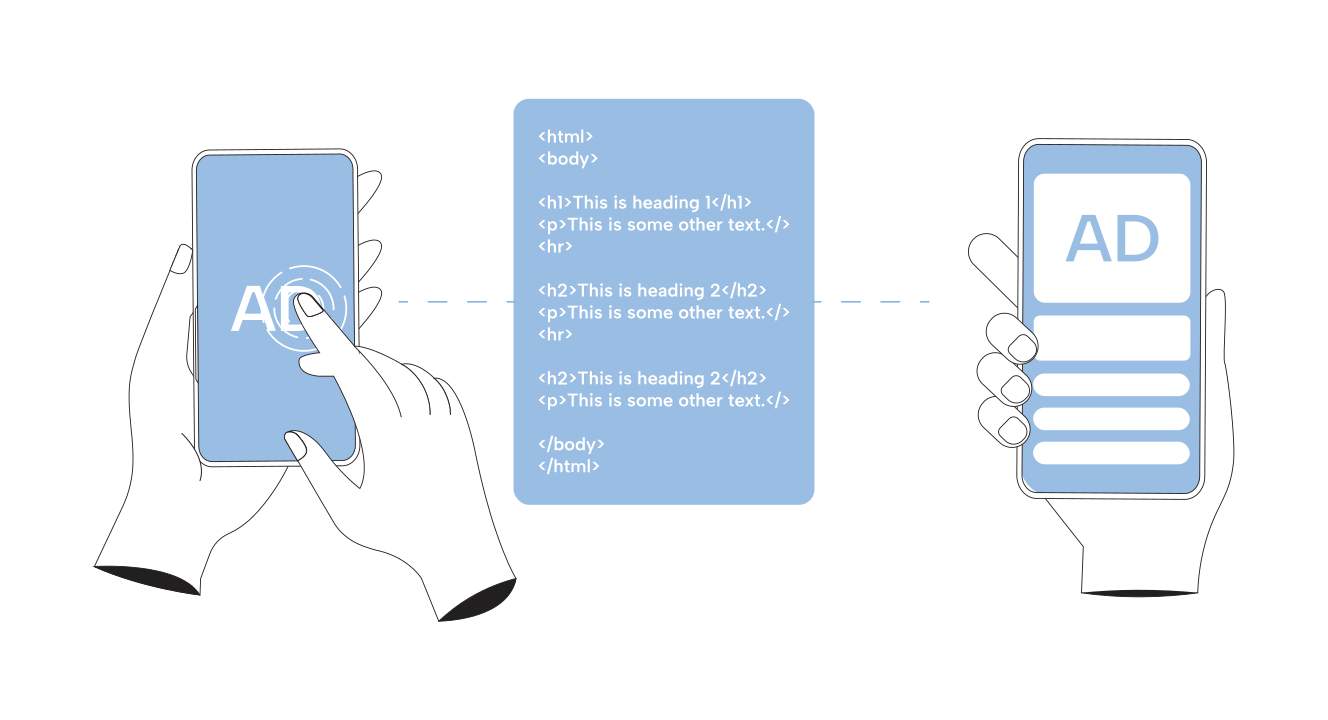


Seeing thousands of unfilled ad requests can make it seem like you are losing revenue. Your site has available ad space and sends a request to the ad server, but no ad comes back. So, it is easy to assume that every unfilled request means missed revenue.
However, that is not always the case.
Low demand is one possible cause, but there are many others. Floor prices may be too high, line items may not be eligible to serve, fallback ads may not cover all inventory, or bidders may respond too late. There may also be authorization or setup issues. In some cases, your site may even generate ad requests for inventory that should not have been requested at all.
So, instead of simply trying to reduce unfilled requests, the first step is to understand why they happen and which ones represent real revenue opportunities.
This guide walks through that diagnosis in the order an Ad Ops team can approach it, starting with what an unfilled request actually tells you and moving through the technical and commercial reasons why it happens.
Table of contents
What Does an “Unfilled” Ad Request Actually Mean?

An ad request initiates the ad serving process, but it is not the same as an impression.
When someone visits a page, the relevant ad code can send a request to the ad server. The ad server then looks for an eligible ad that can serve that opportunity. If it finds one, the ad serving process continues. If it does not, the request can be recorded as unfilled.
In simple terms, the process looks like this: Ad request → eligible demand → ad returned → impression.
Each stage tells you something different.
| Metric | What It Means |
|---|---|
| Ad request | A request reached the ad server. |
| Ad response | The ad server returned an eligible ad. |
| Impression | The ad delivery was counted according to the platform’s methodology. |
| Unfilled impression | The request did not return an ad. |
This distinction is important because an unfilled request does not automatically mean that you lost revenue. For example, imagine a request coming from inventory that attracts very little buyer interest. It may remain unfilled simply because no advertiser was willing to pay for that opportunity.
Now imagine another request where buyers were willing to bid, but your floor price was too high for those bids to clear. That request may represent revenue you could potentially recover. Both requests appear as unfilled, but the reasons are very different.
So, the number of unfilled requests is only your starting point. To understand whether you have a real problem, you need more context.
When Should You Worry About Unfilled Ad Requests?

Before making changes to your setup, first check whether the drop in fill rate is actually unusual.
Fill rate can vary for many reasons. Some GEOs have more advertiser demand than others, while desktop and mobile traffic may perform differently. Certain ad sizes can also attract more demand. Seasonality, consent status, pricing, and your demand partners can also affect fill.
Because every publisher has a different mix of inventory and demand, there is no single fill rate that is healthy for everyone. Your own historical data is usually a better benchmark.
Here are some common patterns to look for.
| Pattern | What It Could Mean |
|---|---|
| One GEO is always weaker | Limited buyer demand |
| Fill suddenly drops across the site | A configuration or implementation problem |
| Fill drops after a floor increase | Pricing may be blocking demand |
| One SSP suddenly performs worse | A partner or integration problem |
| One ad size has poor fill | Weak demand or missing creative coverage |
| Requests increase but traffic does not | An implementation problem |
| The same decline happens every year | Normal seasonality |
The key is to compare similar inventory. Look at the same GEO, device, ad unit, size, and period whenever possible. This helps you separate normal performance differences from actual problems.
Once you know the change is unusual, the next step is to find out where it is happening.
Why Are Your Ad Requests Unfilled?
There is rarely one universal cause. The fastest approach is to segment the problem first, then test the most plausible explanation.
1. Low Demand for a Specific Segment

A network-wide fill rate can hide what is actually happening. Imagine that the US desktop inventory fills at 92%, while a specific mobile GEO fills at 35%. Looking only at the network average turns two very different markets into one number.
Break unfilled inventory down by factors such as GEO, device, ad unit, requested size, browser, content category, time, and demand source. Google itself recommends using the ad unit and requested ad size dimensions to locate where unfilled impressions are concentrated.
Warning Sign
The same GEO, device, size, or inventory segment consistently underperforms while the rest of the site remains stable.
What to Check
Compare fill and CPM between similar segments rather than looking only at the site average. Then check whether the weak segment receives fewer competitive bids across your demand sources.
What to Do
Diversify demand so that another partner can realistically bring in incremental buyers. For strategically valuable segments, direct campaigns or PMPs may provide demand that the open auction is not delivering.
This distinction was clear in a forum discussion, where a publisher reported roughly 50% unfilled inventory, with only 10% of traffic coming from the US and most of the remainder from Latin America. Practitioners immediately pointed to the traffic mix as a major part of the problem rather than assuming that adding another auction mechanism alone would fix it.
The lesson is simple: more SSPs do not automatically create demand where buyers have little interest.
2. Floor Prices Are Above Available Demand

A floor establishes the minimum value at which inventory can clear. If buyers are willing to pay $1.20 CPM for a particular opportunity and your applicable floor requires $1.80, that demand cannot clear at $1.20.
This creates one of the most recognizable patterns in yield troubleshooting.
Warning Sign
Fill falls shortly after a pricing rule or floor change, particularly within the inventory affected by that rule.
In a recent r/adops troubleshooting discussion about unexpectedly high unfilled requests, checking recently introduced floor prices was among practitioners’ recommendations, alongside checking site changes and ads.txt.
What to Check
Compare fill, CPM, bid participation, and revenue before and after the floor change. More importantly, make the comparison on the segment where the floor actually changed.
What to Do
Test pricing changes on controlled inventory rather than applying a large network-wide adjustment immediately. Dynamic or segmented pricing can also be more appropriate than forcing inventory with very different demand profiles through the same threshold. The objective should not be maximum fill.
Consider two simplified outcomes.
| Strategy | Fill | Average CPM | Revenue per 1,000 requests |
|---|---|---|---|
| Lower floor | 90% | $1.20 | $1.08 |
| Higher floor | 65% | $1.90 | $1.24 |
The second strategy has much worse fill but approximately 15% more revenue per 1,000 requests.
That is why fill rate should never be optimized in isolation. The relevant outcome is yield.
3. Ads.txt or Sellers.json Issues Are Limiting Demand

Supply chain authorization is another layer worth checking before blaming demand.
Ads.txt allows publishers to publicly declare which companies are authorized to sell their inventory. Sellers.json operates on the platform side and enables buyers to identify the direct sellers and intermediaries involved in selling inventory.
These standards are no longer peripheral infrastructure.
An IAB Europe assessment of 2,054 European online news publishers found ads.txt on at least 73% of the sampled publishers. More than 99% of the ads.txt lines analyzed were valid, while sellers.json information matched corresponding publisher declarations in approximately 79% of cases.
Warning Sign
A demand partner loses participation after an SSP migration, an account change, a publisher ID update, or a supply path configuration change.
What to Check
Confirm that your ads.txt file is accessible and contains the correct seller IDs. Check whether each relationship is correctly marked as DIRECT or RESELLER, and remove stale entries when appropriate.
Then verify that the SSP represents your seller relationship correctly in its sellers.json file.
What to Do
Treat supply chain authorization as part of SSP onboarding and offboarding, not as an administrative task to revisit months later. This becomes especially important during an SSP migration because an integration can be technically functional while authorization data is incomplete or outdated.
4. House Ads or Backfill Don’t Cover All Inventory

A Run of the network house line item sounds like complete fallback coverage. It is not necessarily complete coverage.
Google recommends widely targeted House or Ad Exchange line items and specifically advises publishers to cover every possible ad unit size when using catch-all fallback inventory.
A house line item can still be ineligible because of creative sizes, targeting conditions, request attributes, or other delivery constraints.
An r/adops thread illustrates how counterintuitive this can become. A publisher reported approximately 5,000 house ad impressions alongside 100,000 unfilled impressions despite having a RON house line item. The discussion surfaced possible causes, including creative coverage, Single Request Architecture behavior, size matching, and request-specific eligibility.
Warning Sign
You have fallback inventory configured, yet unfilled impressions remain substantial.
What to Check
Do not stop at confirming that the line item exists. Check whether it was eligible for the actual request that went unfilled. Review creative size coverage, inventory targeting, key values, GEO and device restrictions, request-specific settings, and line-item eligibility.
What to Do
Use GAM delivery troubleshooting on representative affected pages and requests. A RON label tells you how broadly you intended to target the line item. It does not prove that every request can receive its creative.
5. Line Items Aren’t Eligible to Serve

Sometimes demand exists, and the ad server configuration prevents it from reaching the slot. This is where an unfilled request becomes less of a demand problem and more of an eligibility problem.
Warning Sign
Expected campaigns are active, but the affected inventory continues to record unfilled impressions.
What to Check
Review creative sizes, inventory targeting, key values, scheduling, pacing, frequency caps, GEO restrictions, device targeting, and other eligibility conditions.
What to Do
Start with one real affected request and work backward through eligibility rather than scanning every line item in the network.
That changes the investigation from “What looks wrong in our setup?” to “Why could nothing serve this specific opportunity?” The second question is usually much faster to answer.
6. Header Bidding or Open Bidding Is Timing Out

Auction access does not guarantee effective participation in the auction. In header bidding, a bidder that regularly responds after the configured auction window may have demand but fail to contribute when it matters.
Prebid supports a global bidder timeout and explicitly notes that JavaScript timing and busy page execution can affect when timeout callbacks actually run.
Warning Sign
A bidder has acceptable CPMs when it responds but a weak response rate, unusually high latency, or a large tail between median and slower response times.
What to Check
Look at the bidder response rate, timeout rate, average response time, and, preferably, the p95 response time. The average alone can hide a long latency tail.
What to Do
Evaluate the tradeoff between giving bidders enough time to participate and delaying the auction or page experience.
There is also an important caveat regarding attribution.
A header bidding timeout does not automatically equal an unfilled GAM impression. Other eligible demand can still win after one bidder misses its window. The timeout becomes relevant to unfilled inventory when the remaining auction has insufficient eligible demand to fill the opportunity.
That distinction prevents teams from incorrectly mapping every bidder timeout to lost inventory.
7. Your Setup Is Generating Unnecessary Ad Requests

Before asking how to monetize an unfilled request, ask a more fundamental question.
“Should that request exist at all?”
Google defines an ad request as the first step in ad serving and notes that GPT generates requests when relevant ad-serving calls are invoked. Implementation problems can therefore inflate requests independently of meaningful inventory.
Common examples include duplicate calls, obsolete slots left in templates, slots requested before they can reasonably enter the viewport, broken lazy loading logic, or GPT implementation errors.
Warning Sign
Ad requests rise materially without a comparable increase in traffic, page views, or legitimate inventory opportunities.
What to Check
Compare requests per page view over time and by page template. Then, inspect whether the pages generating the increase actually contain corresponding monetizable placements.
What to Do
Remove unnecessary calls before trying to improve their fill. This is one of the most important distinctions in the entire diagnosis. Turning a bad request into a filled request may improve a dashboard metric while leaving the underlying implementation problem untouched.
8. DSP-Side Pre-Bid Inventory Scoring

Before a bid is even priced, some DSPs run the impression through a pre-bid scoring check for brand safety, viewability likelihood, fraud signals, and available enrichment data. If the impression fails that check, the DSP declines to bid entirely. This is where an unfilled request stops being a pricing or eligibility problem and becomes a quality problem.
Warning Sign
Fill rate is disproportionately low on specific pages, ad units, or content categories, even though the same demand sources fill normally everywhere else on the site.
What to Check
Review content categorization, page-level viewability conditions, available contextual or user identifiers, and any fraud or invalid traffic signals tied to the affected inventory.
What to Do
Fix the affected pages first, rather than the account-wide setup. Clean up categorization, improve viewability conditions, and confirm enrichment signals are present before assuming the account or SSP relationship is at fault.
10-Minute Unfilled Ad Request Diagnostic Checklist
When fill unexpectedly deteriorates, investigate in this order.
- Confirm that the requests are legitimate. Check whether traffic and real inventory increased with ad requests.
- Segment the problem. Break unfilled inventory down by ad unit, requested size, GEO, device, and other meaningful inventory attributes.
- Check eligibility and fallback coverage. Confirm that the expected line items and house or remnant inventory can meet the affected requests.
- Review floor changes. Compare the timing of fill deterioration with recent pricing rule changes.
- Verify ads.txt and sellers.json relationships. Pay particular attention to recent SSP integrations, migrations, and publisher ID changes.
- Compare demand sources. Determine whether the decline is network-wide or concentrated around one partner or inventory segment.
- Review auction latency. Check response rates, timeouts, and slow-bidder behavior when header bidding is involved.
- Compare against a historical baseline. Yesterday versus today can be noisy. Compare equivalent weekdays, seasonal periods, and inventory mixes.
- Identify what changed immediately before the drop. Floors, tags, consent implementation, targeting, demand partners, and releases should all be considered.
- Change one variable at a time. Measure revenue, CPM, fill, and request volume together before deciding whether the intervention worked.
Troubleshooting gets harder when the evidence lives in different dashboards.
An unfilled request may appear in one system, while the pricing, demand, and bidder performance data needed to explain it are elsewhere. You may need to compare requests on one platform, CPMs on another, and demand partner performance elsewhere. By the time everything is connected, valuable time has already been spent simply figuring out what changed.
A consolidated reporting view makes that diagnosis easier. Instead of investigating each demand source separately, publishers can compare performance across partners and inventory segments to see whether a decline is isolated to a specific SSP, GEO, device, ad unit, or affecting the setup more broadly.
Sevio Ad Manager brings these monetization signals into a single reporting environment, making it easier to compare demand partners’ performance, spot unusual changes, and pinpoint the source of an unfilled inventory problem.
FAQ
Not always. It means that the request did not return an eligible ad. Whether you lost a realistic revenue opportunity depends on why the request remained unfilled.
There is no single healthy fill rate for every publisher. GEO, device, inventory, demand, pricing, consent, and seasonality can all affect performance, so compare similar inventory with your own historical results.
Start with what changed before the decline. Check recent changes to ad requests, line items, floors, SSPs, ads.txt, consent settings, ad tags, and bidding configuration.
It can if another SSP brings additional demand for inventory that your current partners struggle to monetize. However, a new SSP will not fix unnecessary requests, eligibility problems, incorrect pricing, authorization issues, or implementation errors. For a more in-depth look at this topic, explore Sevio’s guide, “Is It Worth Switching SSPs? How to Improve Fill Rate & CPM?”
Final Thoughts
Unfilled ad requests tell you that the monetization process stopped somewhere, but the number alone does not explain why.
Start by making sure the requests represent real inventory. Then find the segments where the problem is concentrated and compare them with their normal performance. From there, work through eligibility, pricing, authorization, demand, consent, and auction performance until you find the cause.
At the same time, avoid looking at fill in isolation. A change that increases fill can still reduce revenue, while a lower fill rate can sometimes produce better yield.
The goal is therefore not to eliminate every unfilled ad request. It is to understand which requests could realistically generate revenue, why they are not being filled, and which changes can improve overall monetization.
Was this helpful?