

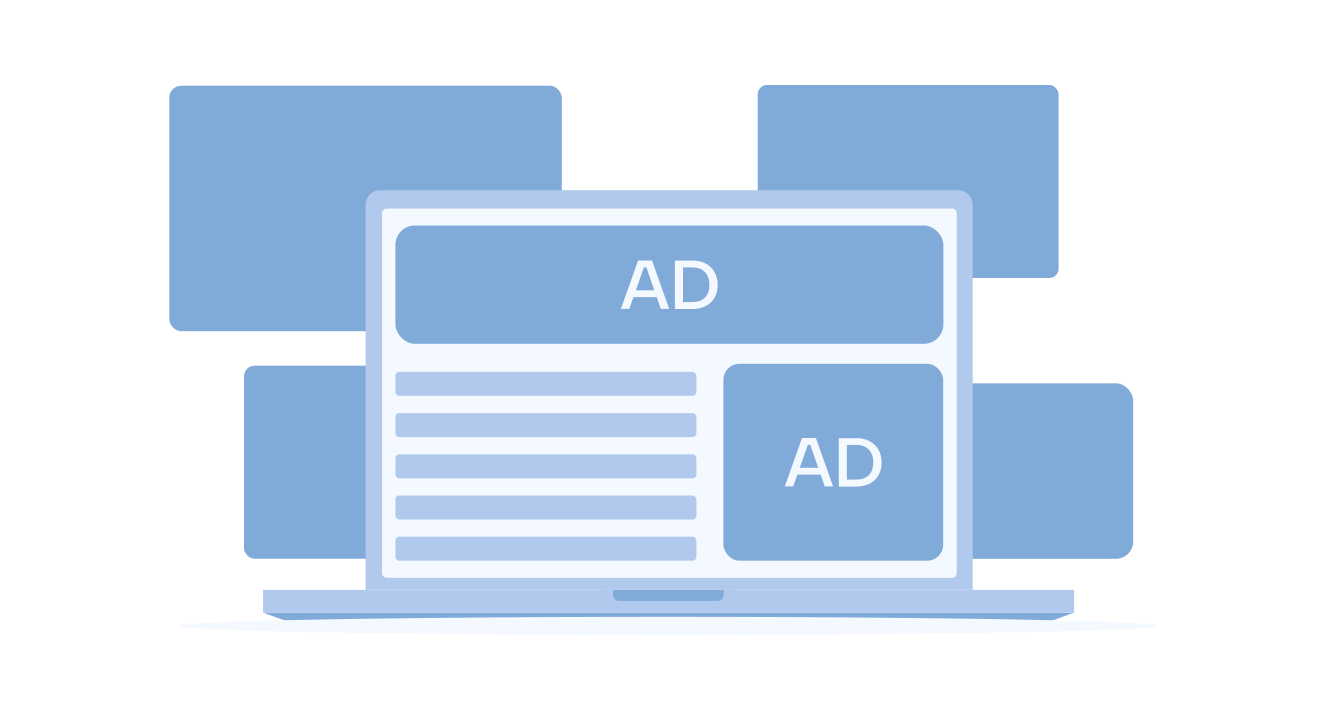
When managing paid campaigns, crafting a solid strategy requires attention to every detail of your campaign. You might have eye-catching creatives, compelling messages, and a wealth of industry knowledge, but none of that matters if your ad placement isn’t where your audience can see and engage with it.
Ad placement is a critical factor that can make or break your campaign’s success.
That’s why, in this article, we’ll explore the ins and outs of ad placement. We’ll cover what ad placement is, the different types available across various platforms, and practical strategies you can implement to maximize your revenue.
Table of contents
What is an Ad Placement?
Ad placements refer to specific spots where ads are shown on a publisher’s platform, such as a website or app. These can be single ad units (or spaces) or groups that advertisers can use to display their ads.
Each ad tech platform typically follows its own set of placement rules. Some display platforms automatically generate ad placements, while others allow publishers to define their criteria for ad positioning or offer a combination of both approaches.
Why Is Ad Placement Important?
You may already have the answer because it seems natural, but it’s certainly not exactly handy for everyone, and not everyone can argue why ad placement is one of the most important factors in digital advertising.
So, why is ad placement one of the most critical factors in digital advertising?
To cut a long story short, even the best-looking ad won’t do much if no one sees it. If the right people don’t see it, click-through rates (CTR) and revenue will drop. Thus, digital advertising is rarely just about designing a great ad creative—where that ad appears can make all the difference.
Where the ad is placed affects its visibility, and better visibility leads to more engagement and, ultimately, more revenue. Advertisers always look for spots where their ads will get noticed, and low-visibility placements get passed over, meaning lost opportunities.
Also, not all ads perform the same way in different spots. For instance, leaderboard ads work best when placed at the top of the page, above the content, rather than buried within it. So, placing ads in the right spot is vital to getting the results advertisers want.
7 Types of Ad Placements
In digital advertising, several common types of ad placements are often seen. Below, we’ll examine the typical ad placements found in the industry.
1. Header

Header ad placement refers to ads displayed at the top of a webpage, typically above or alongside the main navigation bar. Depending on the site’s design and goals, header ads can be static banners, dynamic displays, or interactive formats.
This high-visibility spot differs from above-the-fold placements, which include any area on the initial screen view, meaning ATF ads can be placed across multiple locations on the page, not just at the top.
Pros of Header Ad Placement
- Prime Visibility: Because they are positioned at the top of the page, header ads are one of the first things users see, ensuring they capture attention immediately.
- Consistent Branding: Header ads help reinforce brand identity by remaining in a stable, predictable spot that users encounter immediately.
- Easy Implementation: Header ads adapt well to desktop and mobile screens, making them versatile for multi-platform ad strategies.
Cons of Header Ad Placement
- Limited Space for Creativity: The horizontal format may restrict design flexibility, limiting highly interactive or visually elaborate ad options.
- Potential for Banner Blindness: Many users are accustomed to ignoring ads in header locations, which can lower engagement rates over time.
- Impact on Load Time: Large header ads can sometimes slow page load speeds, affecting user experience and potentially impacting SEO if not optimized.
2. Above The Fold (ATF)

Above the fold (ATF) describes the area users see right when they land on a webpage before scrolling. According to a Google study, ATF placements generally achieve higher visibility than below-the-fold spots, making them prime locations for ad interaction and visibility.
Pros of ATF Ad Placement
- Higher Visibility and CTR: ATF ads are more likely to be seen and interacted with by users, increasing the chances of ad engagement and performance.
- Premium Advertising Demand: ATF ads are often more valuable to advertisers due to their prime location. This increased demand can translate into an increase in ad revenue for publishers.
- Better for Brand Awareness: Since ATF ads are among the first elements users see, they’re ideal for advertisers aiming to improve brand recognition and create strong first impressions.
Cons of ATF Ad Placement
- Risk of Overcrowding: Too many ads above the fold can clutter the page, frustrating users and leading to higher bounce rates.
- Potential for Google Penalties: If ads disrupt the content flow or user experience, Google can penalize the page for overusing ATF ads.
- Careful Positioning Needed: To be effective without overwhelming users, ads should avoid the very top of the page and be placed slightly lower (e.g., below the navigation bar).
3. Sidebar

Sidebar ad placement refers to ads positioned in the vertical columns on either the left or right side of a webpage’s main content area. Generally, these are rectangular or square-shaped and can be static or dynamic, depending on the website’s design.
Since they stay visible alongside the main content, sidebar ads maintain their presence as users scroll, ensuring continuous exposure without intruding on the primary content.
Pros of Sidebar Ad Placement
- Increased Visibility: Sidebar ads remain visible as users scroll through content, providing consistent exposure without the need to move or adjust.
- Persistent Presence: Positioned on the side, these ads stay fixed on the screen, making them easy to notice without interrupting the reading experience. This can improve engagement over time.
- Content Complementary: Sidebar ads can complement the main content by offering related products or services, especially when the targeting aligns with user interests or page topics.
Cons of Sidebar Ad Placement
- Limited Space: Sidebars provide limited ad space, which can constrain design and messaging, mainly when aiming to create high-impact visuals.
- Ad Blindness: Users accustomed to seeing ads in sidebars may subconsciously ignore them, reducing ad effectiveness and interaction rates over time.
- Mobile Considerations: Many mobile layouts hide the sidebar or move it below the main content, which can significantly reduce its visibility on mobile devices.
4. In-Content

In-content ad placement involves embedding ads directly within the main body of a webpage’s content. These ads are crafted to blend with the editorial or informational flow, creating a cohesive look and feel that aligns with the surrounding text and images.
By integrating naturally into the content, in-content ads provide a seamless user experience while increasing the likelihood of user engagement.
These ads can take various forms, such as text, images, or videos, and are designed to mirror the appearance of the content they accompany.
Pros of In-Content Ad Placement
- Native Integration: In-content ads blend naturally into the content, creating a non-disruptive experience that maintains the user’s focus on the page.
- Contextual Alignment: When well-targeted, these ads can align closely with the content, increasing relevance and making users more likely to find them helpful or interesting.
- High Click-Through Rate (CTR): Due to their seamless integration and relevance to the content, in-content ads often achieve higher CTRs than traditional ad placements.
Cons of In-Content Ad Placement
- Distraction from Content: If not carefully placed, in-content ads can disrupt the reading experience, drawing attention away from the primary content.
- Potentially Misleading for Users: When ads are too similar to the main content, users may mistake them for editorial information, leading to frustration if the ad isn’t relevant.
- Impact of Ad Blockers: In-content ads are often more susceptible to being blocked by ad-blocking tools, which can reduce their visibility and overall effectiveness.
5. Interstitial

Interstitial ads are full-screen ads that appear during transitions, such as when a user navigates between pages or waits for a webpage to load. These ads cover the entire screen and require user interaction—either by clicking a button or closing the ad—to access the desired content.
Interstitial ads often feature rich media, video, or interactive elements, creating a visually engaging experience that captures attention during these brief transitional moments.
Pros of Interstitial Ad Placement
- High Visibility and Impact: Interstitial ads are hard to miss, covering the entire screen and ensuring maximum user exposure.
- Engaging and Interactive Formats: The full-screen design allows for creative, visually captivating formats like videos and animations that can make a memorable impression.
- Effective for Monetization: Due to their prominent nature, interstitial ads often command higher rates, making them a lucrative option for publishers.
Cons of Interstitial Ad Placement
- Disruptive User Experience: Interrupting the flow between pages can frustrate users, potentially impacting the overall user experience.
- Extended Loading Times: Interstitial ads can slow navigation as users wait for ads to load before accessing their desired content.
- Risk of User Drop-Off: Interstitials’ interruptive nature may prompt some users to leave the site altogether, especially if they find the ad intrusive.
6. Below The Fold (BTF)

Below the fold (BTF) refers to the area of a webpage that becomes visible only after a user scrolls down. While these placements generally have lower initial visibility than above-the-fold (ATF) ads, BTF ads can still be highly effective when paired with engaging content that encourages users to scroll.
Pros of BTF Ad Placement
- Less Intrusive User Experience: BTF ads do not immediately compete with the main content, which can create a more seamless and user-friendly experience, especially for users visiting the page to read or browse without distractions.
- Engages Intent-Driven Users: Ads below the fold reach users actively scrolling and engaging with content, making them more likely to interact with ads relevant to their interests or needs.
- Ideal for Longer Sessions and Scrolling Content: BTF ads work well with longer articles or infinite scrolling pages, where users naturally continue exploring the content. This can increase ad impressions without overwhelming users at the top of the page.
Cons of BTF Ad Placement
- Lower Initial Viewability: BTF ads have reduced visibility because users need to scroll down to see them, which means fewer impressions if the content doesn’t encourage scrolling.
- Potential for Fewer Clicks: Because BTF ads are less prominent, they often receive fewer clicks than ATF ads, which may affect performance metrics like CTR.
- Reliant on Page Design and Content Quality: To ensure BTF ads perform well, the content above them must be engaging enough to entice users to scroll. Pages with poor content or short-form posts may lead to low visibility for BTF ads.
7. Footer

Footer refers to ads positioned at the bottom of a webpage, below the main content area. These ads only become visible as users scroll to the end of the page, making them an unobtrusive placement option.
This end-of-page placement contrasts with below-the-fold, which refers to any ads that appear once a user scrolls beyond the first screen view, whether in the middle of content or elsewhere, not limited to the very bottom.
Pros of Footer Ad Placement
- Non-Intrusive: Footer ads appear at the end of the content, ensuring that users can engage with the primary material first, resulting in a smoother browsing experience.
- Target Engaged Users: Users who scroll to the bottom of a page are often more engaged, making them more likely to interact with footer ads than those in more immediate positions.
- Additional Revenue Opportunity: Footer ads provide a website monetization point on the page without interfering with the primary content area.
Cons of Footer Ad Placement
- Lower Visibility: Footer ads are only visible once users reach the bottom of the page, so they may be missed by those who don’t scroll down.
- Limited CTR: Due to their location, footer ads often receive fewer clicks and interactions than placements higher on the page.
- Less Effective for Short Content: Footer ads work best for long-form content; users may not scroll far enough to see them in shorter posts, reducing ad effectiveness.
Top Ad Placements on Social Platforms
Remember, while these categories are standard, platforms like Meta or LinkedIn sometimes rename these placements to better suit their platforms. Even though the ads usually fall into one of the types we’ll discuss, they might go by different names.
In the following sections, we’ll give you a simple overview of the ad placements on specific platforms to help clarify things, and no, we won’t mention Google. After all, they’re the most well-known player in the game, offering just about every ad placement option for publishers. They set the standard for what to expect in the industry, so their mention won’t add much to our discussion.
1. Meta (Facebook & Instagram)

Source: Statista
According to a 2022 survey, the Facebook News Feed was rated the most effective ad placement, with 96% of respondents finding it highly successful. The Instagram Feed also performed well, with 71.5% considering it effective.
These placements are among the best options for advertisers on Meta, providing strong reach and engagement opportunities. Thus, the most common based on the platform are the following:
- News Feed;
- Stories;
- In-Stream Video Ads;
- Right-Hand Column;
- Marketplace;
- Messenger.
- Feed;
- Stories;
- Reels;
- Explore;
- IGTV.
2. Sevio Ad Manager
Sevio Ad Manager makes it easy for publishers to get the most out of their ad space. As an SSP designed with publishers in mind, Sevio offers both standard and custom ad placements that can be tailored to fit the layout of the publisher’s website or app and meet their specific needs.
The platform suggests the best ad spots to boost engagement and revenue, but it also gives publishers full control over what ad placements they want to include. Whether advertisers prefer placements above the fold, within content, or in the sidebar, Sevio provides the flexibility and support to set up an ad layout that works best for their audience and goals.
3. Ad Placements on LinkedIn
- Feed;
- Sponsored Content;
- InMail;
- Conversation;
- Right Rail;
- Carousel;
- Dynamic.
4. Ad Placements on TikTok
- For You Feed;
- Profile Feed;
- Following Feed;
- Search Feed;
- TikTok Lite (Japan & Korea only).
Ad Placement Isn’t the Same With Banner Sizes
As we assembled this information, we noticed a common misunderstanding in advertising: people often confuse ad placement with banner sizes (or ad formats). While both are important for a successful online advertising strategy, they have different roles and shouldn’t be considered the same.
Ad placement is where an ad appears on a webpage or an app. It could be at the top of the page, in the sidebar, or even in the middle of the content (among other options). On the flip side, online banner sizes refer to the actual size of the ads themselves. They can be square, rectangular, or vertical and come in different dimensions.
The 5 Best Ad Placement Strategies

1. Analyze User Behavior to Increase Effectiveness
First, analyze the user behavior of the people who cross your platform’s threshold because each platform is different, and user behavior is closely associated with its type. Don’t just take this step from the perspective we have noticed, but also consider that Google suggests that the best strategy for ad placement is to consider things from the user’s perspective.
Understanding what your audience is doing on your site is key to balancing ad visibility without disrupting their experience. Thus, ask yourself:
- Is my site easy for users to navigate?
- Are all navigation buttons clear and easy to find?
- Is my content free from obstructions?
After that, consider these two additional questions on the topic—ones that few think to ask but are highly important:
- What is the user’s intent on your platform?
- Where is the user’s attention primarily focused?
Are visitors coming to read detailed content, a piece of news, shop for a product, or use a tool? Knowing their goals can guide where ads should—and shouldn’t—go. You want to avoid placing ads that interrupt what the user is trying to accomplish.
Understanding user intent can also help you choose the right ad format. For example, would a large half-page ad be engaging, or would video or native ads be more suitable for your audience?
Also, consider what users are doing on each page. Are they reading content thoroughly, watching a video, or navigating to complete a task? Identify areas where their focus naturally goes, and think about how you can place ads in those high-attention spots without disrupting their flow.
Integrating ads into these areas thoughtfully can make them more effective while maintaining a positive user experience.
2. Leverage the Data to Guide Ad Placement
Besides understanding your users, remember that the best ad placement decisions rely on data you already have or know about from major industry leaders to reveal where your ads perform optimally. Various tools and data points can help you fine-tune your ad layout for maximum impact.
Google Analytics
Google Analytics is a powerful tool that shows how users interact with your site or app. It highlights your top-performing pages, main traffic sources (like organic search or direct visits), and key user details such as device type and location. This information helps you identify where ads could drive the most impact.
Heatmaps and Click Maps
Tools like Hotjar and CrazyEgg closely examine user behavior across your site or app. Heatmaps show where users linger most on a page, giving clues about which content draws their attention. If your ads are below the fold, heatmaps might reveal a few users scrolling down to see them. Click maps add another layer by showing where users click, often with screen recordings, so you can watch how users interact with your pages.
A/B Testing
A/B testing is invaluable for finding the best ad placements while improving user experience. Testing different ad layouts lets you see what works best without guessing, helping you refine your setup for higher engagement and overall effectiveness.
3. Use Lazy Loading
Lazy loading is a technique to optimize your site or app’s performance by loading content only as users need it. Instead of loading all images, videos, and ads when a page opens, lazy loading keeps things lightweight by loading elements only as they appear. This is especially useful for ad-heavy sites, as it reduces initial load times and enhances the user experience.
With lazy loading, ads only load once visible on a user’s screen. This approach helps reduce “wasted” impressions for ads that users might never scroll down to see, making each impression more valuable. Another benefit is the reduced server load, leading to faster overall page performance. Faster load times mean happier users and better engagement, supporting your site’s ad performance and user retention.
4. Check the Ad Viewability
Ad viewability measures how many of the ads on your site are seen by users, going beyond just placement to focus on visibility. As mentioned, just because an ad is on a page doesn’t mean it’s getting noticed. Sites with high viewability scores have a valuable ad inventory that advertisers actively seek out, often leading to higher bids and better revenue.
Google considers a display ad “viewable” if it appears on-screen for at least one second and has 50% of its area visible. For video ads, the viewability threshold increases to two seconds. You’ll see these metrics in your analytics under “Active Views.”
To improve ad viewability:
- Experiment with ad layouts, sizes, and placements to find the best combination.
- Ensure your page loads quickly to reduce missed impressions.
- Optimize for mobile to reach users on all devices.
- Test performance across different channels to maximize visibility across your audience.
5. Optimize, Optimize, and… Optimize
In digital advertising, optimization isn’t a one-time task; it’s an ongoing process that continuously improves your results. Regularly testing and adjusting ad layouts, placements, and formats can enhance performance and make the most of your site’s ad inventory.
6. Multisize Ad Placements
Incorporating multiple ad sizes on a page can significantly boost your ad revenue. Different advertisers often prefer other formats, so offering a range—such as video, rich media, display, and in-feed ads—makes your inventory appealing to more advertisers.
With multisize placements, you can cater to diverse advertising needs, increasing your chances for higher bids and returns.
7. Experiment With Sticky Ads
Sticky ads remain visible as users scroll through a page, increasing the ad’s visibility and viewability scores. These floating ads are especially effective for capturing user attention, leading to higher engagement and yield.
8. Try Out Ad Refresh
Ad refresh techniques let ads reload periodically while users are actively browsing, creating new ad impressions without needing users to reload the page. Thus, it helps maximize revenue by boosting the likelihood of interaction with each refreshed ad.
How Many Ads Are Too Many?
Now, after you know all of that, you might also wonder how many ads are too many for a website. The truth is, there’s no fixed rule. The number of ads you place depends on each page’s layout and the overall user experience.
Google’s Webmaster guidelines don’t limit ad numbers strictly but emphasize that ads shouldn’t interfere with search rankings. However, regarding news websites, Google suggests that ads shouldn’t outweigh the actual content on the page.
While some might interpret this as a 51:49 split in favor of content, it’s usually better to play it safe. A good rule of thumb is to aim for around 30% ads and 70% content. For smaller posts, this might mean just one well-placed ad that doesn’t overwhelm the reader or take up too much space.
Overloading a page with ads can hurt user experience (UX), reduce SEO performance, and ultimately drive down traffic, affecting revenue. The key is regularly analyzing and testing your site to find the best balance for your audience.
Conclusion
Now that you’re here at the end of the article, just remember that throwing more ads onto your site won’t necessarily mean more cash in your pocket. If your visitors have a poor experience. They’ll likely leave without seeing your ads, like a messy layout or too many distractions.
Instead, focus on creating great content and placing just the right amount of ads to keep users engaged. This way, they’ll stick around longer and interact with your ads. As you experiment with your ad placements, ensure you follow Google’s and your ad partners’ rules.
Don’t expect instant results; fine-tuning your ads takes some time. Use A/B testing, monitor your ads’ performance, and eliminate any that aren’t performing well.
Was this helpful?