

What if your next revenue increase didn’t require a single additional visitor?
As traffic acquisition becomes more expensive and audience growth harder to sustain, publishers are increasingly focused on extracting more value from the traffic they already have. Ad refresh has emerged as one of the most effective ways to do exactly that, creating additional monetization opportunities while users remain engaged with the page.
In this guide, we’ll break down what ad refresh is, how it works, and how publishers can use it to increase revenue without increasing traffic.
Table of contents
- What Is Ad Refresh?
- How Does Ad Refresh Work?
- Why Publishers Use Ad Refresh
- Benefits of Ad Refresh
- How Many Additional Impressions Can Ad Refresh Generate?
- How to Maximize Ad Zone Monetization with Ad Refresh
- Ad Refresh Best Practices
- Common Ad Refresh Mistakes
- Ad Refresh and Google Ad Manager
- How to Activate Ad Refresh in Sevio
- FAQ
- Final Thoughts
What Is Ad Refresh?
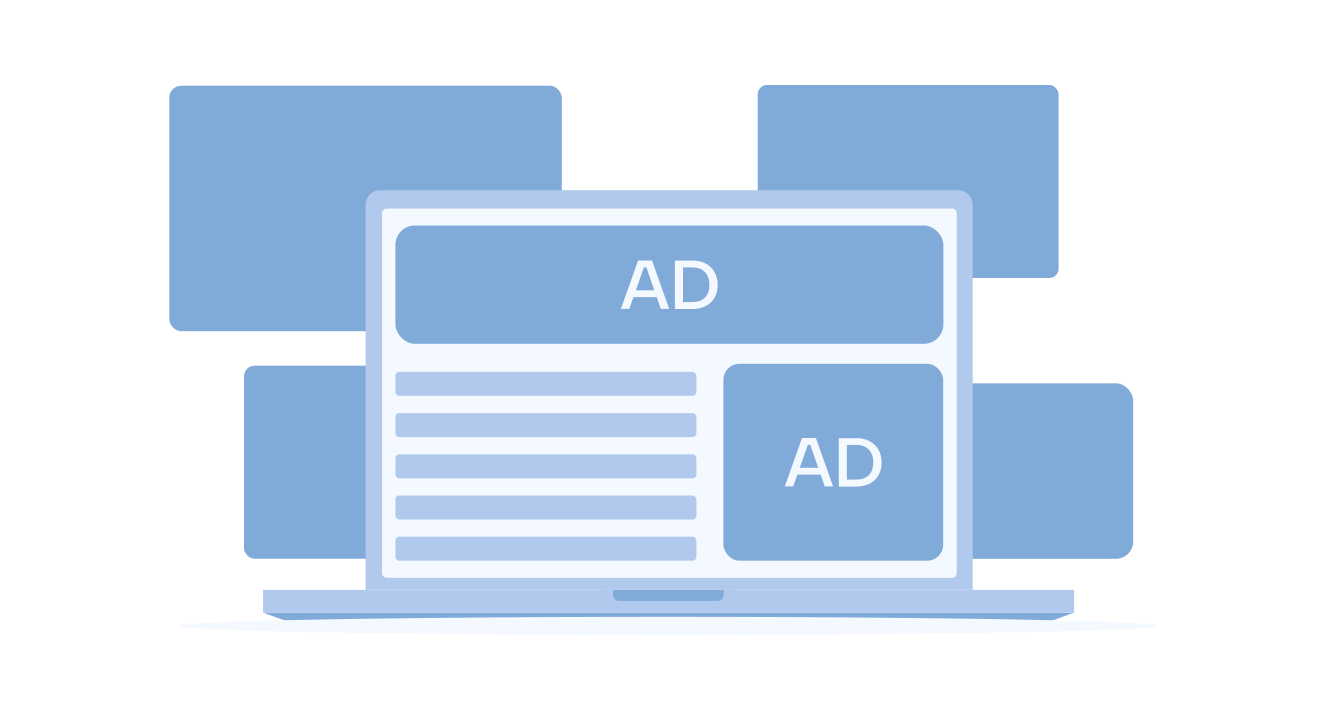
Ad refresh is a monetization technique that reloads an advertisement within an existing ad placement while a user remains on the page. Instead of serving a single ad impression during a session, the same placement can participate in multiple auctions when specific conditions are met.
How Does Ad Refresh Work?

At a high level, ad refresh works by monitoring an ad placement and determining when it becomes eligible for a new auction. The process typically follows several stages:
- The page loads, and the first ad appears. A small script begins monitoring the ad slot.
- The script checks for specific conditions.
How long the user has stayed on the page, whether the ad is visible on the screen, or if the user is interacting with the content?
- When a valid condition is met, the slot becomes eligible for refresh.
- A new request is sent to the ad server or header bidding wrapper, allowing buyers to bid again.
- Demand partners bid again, and a new creative replaces the previous one.
The difference between refresh implementations lies in the trigger mechanism.
Time-Based Refresh
In many implementations, ads may refresh after a certain number of seconds, such as 30, 45, or 60. This approach can be straightforward to configure and is often suitable for pages where users tend to remain on the same view for a while. Still, timing typically needs to be calibrated carefully to avoid overly frequent refreshes.
Event-Based Ad Refresh
Event-driven refresh occurs when specific actions happen on the page that aren’t tied to time or viewability. Examples might include new content loading in a live blog, score updates in sports coverage, or changes inside a single-page application (SPA). It’s commonly used in dynamic environments.
Viewability-Based Ad Refresh
With this method, an ad can refresh only when it comes into view or maintains viewability for a defined period. Many publishers consider this approach because it tends to support higher-quality impressions and may help reduce the risk of invalid traffic, and it’s often used when viewability is a priority.
In practice, viewability-based refresh depends heavily on how ad slots are configured to load in the first place. Most publishers set a lazy-loading margin, the distance before an ad unit enters the viewport where loading begins, somewhere between 200px and 400px, adjusting based on how fast users typically scroll on mobile versus desktop.
Desktop sessions tend to scroll faster and more continuously, so a wider margin closer to 400px gives the ad unit enough lead time to load before it enters view. Mobile sessions scroll in shorter, more variable bursts, so a narrower margin closer to 200px often performs better, though this still needs testing against actual session data rather than being applied as a fixed rule per device.
There’s also a real trade-off in calibration: chasing a 90% viewability threshold can mean losing impressions that would otherwise have counted at a more realistic 70% target. Publishers should treat this margin as a tunable setting rather than a fixed default, and revisit it as engagement patterns shift across devices.
Why Publishers Use Ad Refresh
Not all visitors engage with content in the same way. While some leave after a few seconds, others spend several minutes reading, researching, or following live updates. Without an ad refresh, both sessions may generate the same number of impressions, regardless of how much attention they receive.
Ad refresh helps publishers better monetize engaged users by creating additional revenue opportunities while they remain on the page. As a result, monetization becomes more closely aligned with user attention rather than pageviews alone.
This makes ad refresh particularly valuable for publishers with long-form content, financial media, educational resources, community platforms, and other formats that encourage longer sessions.
Benefits of Ad Refresh

When implemented strategically, ad refresh creates several important advantages for publishers.
More Impressions
Every successful refresh creates another opportunity for advertisers to compete for inventory. This increases the total number of impressions generated from existing traffic without requiring additional pageviews.
Higher Revenue Per Session
Because additional auctions can occur during a user’s visit, publishers often increase the revenue generated per session. This helps maximize the value of engaged audiences rather than focusing exclusively on attracting new visitors.
Better Inventory Utilization
Some placements consistently attract strong engagement and viewability. Ad refresh enables publishers to extract more value from these premium positions, rather than limiting them to a single auction.
Increased Monetization Without Additional Traffic
Perhaps the biggest advantage is that revenue growth becomes less dependent on audience growth. Publishers can improve monetization performance by increasing the efficiency of existing inventory rather than constantly pursuing more traffic.
Viewability Preservation
Viewability-based refresh strategies naturally favor placements that remain visible to users, helping publishers increase inventory supply without significantly reducing quality signals.
This balance between quantity and quality is what separates successful refresh implementations from ineffective ones. To support that goal, here are 6 practical ways publishers can improve ad viewability this year.
How Many Additional Impressions Can Ad Refresh Generate?
There is no universal number because results depend on user engagement, session duration, placement visibility, refresh rules, and device type. Yet, publishers frequently see substantial increases in total impression volume after implementing a refresh.
Consider a simple example:
Without refresh:
- 100,000 pageviews
- 1 impression per placement
- 100,000 impressions
With refresh:
- Average session duration supports 2 additional refreshes
- Same 100,000 pageviews
- 300,000 impressions
In this scenario, ad refresh triples the number of impressions served using existing traffic.
The actual outcome depends on user behavior and inventory quality, but the principle remains the same: more eligible auctions create more monetization opportunities.
How to Maximize Ad Zone Monetization with Ad Refresh

The most effective ad refresh strategies are not designed around generating the highest number of impressions. Instead, they focus on generating the highest-value impressions.
Publishers should begin by identifying placements with strong engagement metrics, long view times, and stable viewability. These placements typically provide the best environment for refresh because they already demonstrate sustained user attention.
Next, refresh triggers should align with actual user behavior. Viewability-based refreshes often outperform purely time-based approaches because they prioritize inventory that advertisers are more likely to value. Likewise, the refresh frequency should be tested carefully to strike a balance between additional auction opportunities and impression quality.
This is a tension publishers often run into: optimizing purely for session-level revenue can push refresh frequency beyond what viewability can comfortably support, while optimizing purely for viewability can leave revenue on the table during long, engaged sessions.
Neither metric should be treated as the sole target. Instead, refresh rules should be tuned against both simultaneously, revisiting the balance whenever viewability drops or revenue per session plateaus. For a broader look at improving viewability across your inventory, not just within refreshed placements, see how to improve ad viewability.
Finally, ad refresh should be evaluated alongside broader yield metrics rather than just impression growth. Revenue per session, viewability, CPM trends, bidder participation, and fill rates provide a more accurate picture of whether a refresh strategy is truly improving monetization.
Ad Refresh Best Practices

Implementing ad refresh safely requires structure, consistency, and ongoing review. These best practices help maintain revenue quality, protect user experience, and keep demand partners confident in your inventory.
Governance & Policy
- Document your rules, and keep a clear record of which placements use refresh and under what conditions.
- Check partner expectations and confirm acceptable refresh behavior with SSPs and exchanges before enabling it.
- Respect user consent, and ensure that refresh requests are triggered only after permission is granted in regions where applicable privacy laws are in effect.
Gradual Rollout & Safety Nets
- Start small, and enable refresh on a limited number of placements, then expand once performance is validated.
- Define stop conditions, and set thresholds for metrics such as CPM, viewability, or unusual traffic patterns that automatically pause the refresh.
- Control request volume and apply caps to prevent excessive refresh calls during long user sessions.
Testing & Experimentation
Tiberiu Stîngaciu, our co-founder and CBDO, puts it simply:
“For a publisher’s budget, every monetization strategy should expect some waste. If there’s zero waste, it likely means you’re not experimenting. And without that, you lose the chance to discover the kind of growth that only comes from stepping outside the comfort zone, where things feel untested, risky, maybe even a little uncomfortable.”
Effective ad refresh follows the same logic.
- Run A/B tests to compare different intervals or trigger types and determine which combination yields the most effective results.
- Test by segment to evaluate refresh performance separately on mobile, desktop, and high-engagement pages.
- Change one variable at a time, as this makes results easier to interpret and reduces the risk of unexpected side effects.
Monitoring & Alerting
- Utilize live dashboards to track key metrics, including CPM, fill rate, bid activity, and viewability, in real-time.
- Set alerts and trigger notifications for sudden performance drops or abnormal traffic behavior.
- Review regularly and establish a routine to monitor trends and make prompt adjustments as needed.
Quality & Fraud Controls
- Verify impressions and use third-party measurement tools to confirm refreshed impressions meet quality standards.
- Filter out weak demand and exclude buyers or routes that consistently underperform or exhibit suspicious behavior.
- Maintain audit logs to quickly troubleshoot issues and resolve questions with partners by keeping accurate request logs.
Common Ad Refresh Mistakes
| Mistake | Potential Impact |
|---|---|
| Refreshing ads too frequently | Lower CPMs and reduced auction competitiveness |
| Refreshing non-viewable placements | Increased low-quality inventory |
| Prioritizing impression growth over revenue | More supply without meaningful monetization gains |
| Applying identical rules sitewide | Poor performance on low-engagement pages |
| Launching without testing | Difficulty identifying optimal settings |
| Ignoring bidder behavior | Reduced demand participation over time |
| Missing frequency caps | Excessive refresh activity during long sessions |
| Failing to monitor performance | Revenue issues that remain undetected |
Ad Refresh and Google Ad Manager
Google Ad Manager supports various ad refresh implementations, including time-based and viewability-driven strategies. However, enabling refresh is only one part of the equation.
Publishers must also consider inventory transparency, buyer expectations, and long-term auction performance.
Google requires publishers to properly declare refreshed inventory so buyers understand how impressions are being generated. This transparency helps advertisers evaluate inventory accurately and make informed bidding decisions.
At the same time, publishers remain responsible for determining:
- Refresh eligibility rules;
- Frequency controls;
- Viewability requirements;
- Performance monitoring;
- Revenue optimization;
This is where many teams encounter challenges.
While Google Ad Manager provides the infrastructure needed to support refresh strategies, publishers often require additional tools to manage refresh logic, monitor performance, and optimize yield at scale. Solutions such as Sevio Ad Manager help simplify this process through built-in viewability controls, refresh frequency management, reporting capabilities, and monetization-focused automation designed specifically for publishers.
Ultimately, the success of any refresh strategy depends less on whether refresh is enabled and more on how intelligently it is managed.
How to Activate Ad Refresh in Sevio

Sevio Ad Manager offers a built-in, policy-safe ad refresh system designed to maximize revenue while protecting viewability and auction quality. The setup requires no custom code; all logic runs directly inside your Sevio ad zone, ensuring consistent performance and compliance.
Here’s how to enable it:
Step 1: Open Your Inventory and Select an Ad Zone
Log in to your Sevio Ad Manager dashboard, open your website or app inventory, and select the ad zone where you want to enable refresh. You can modify an existing zone or create a new one.
Step 2: Locate the Ad Refresh Controls
Inside the zone settings, scroll to the ad refreshing section. Here, you can define when and how the ad unit is allowed to refresh. Note that Sevio uses visibility-based logic, ensuring impressions refresh only when the ad is seen, a significant benefit for viewability and CPM stability.
Step 3: Configure Your Refresh Parameters
Sevio provides granular control over refresh behavior:
- Refresh Rate (minimum 30 seconds) defines how often the zone may refresh. Thus, Sevio enforces a safe minimum to prevent over-refreshing and the invalidation of traffic signals.
- Refresh Maximum Times limits the number of refresh cycles that can occur during the defined interval. As such, it prevents refresh overload on extended sessions.
- Refresh Counter Interval sets the time window over which the refresh limit applies. For example:
- Refresh rate: 30 seconds.
- Max times: 5.
- Interval: 1 hour.
- No more than 5 refreshes per hour for this user/zone.
This gives publishers precise control over session-level monetization.
Step 4: Save the Zone and Deploy the Tag
Once the zone is configured:
- Click Save;
- Install or update the Sevio ad tag on your site (if needed).
Sevio automatically handles refresh logic, viewability checks, frequency limits, and compliance rules.
Step 5: Monitor & Optimize
Inside Sevio reporting, publishers can evaluate:
- Impressions per session;
- Viewability shifts;
- CPM before/after refresh;
- Fill rate trends;
- Refresh frequency utilization.
Because Sevio’s refresh is visibility-driven, it typically improves:
- Auction competition;
- Revenue per session;
- Viewability stability.
This makes Sevio one of the highest-performing ways to activate ad refresh.
FAQ
Ad refresh allows publishers to reload advertisements within existing ad placements while users remain on the page, creating additional monetization opportunities without increasing traffic.
If you disable refresh, each ad slot will serve only one impression per page view. This may reduce revenue per session, especially on pages where users spend more time. However, it can help stabilize viewability if refresh intervals were previously too aggressive.
Auto refresh reloads the creative inside an ad unit based on predefined conditions, such as time or viewability. It enables publishers to generate multiple impressions from a single session without requiring additional ad placements. When appropriately configured, it can increase auction activity and revenue potential.
Yes. Many ad platforms and custom scripts enable publishers to apply refresh rules only to specific devices. This gives you the flexibility to avoid refreshing on mobile if the layout or engagement patterns make it less effective.
Yes, low viewability, falling CPMs, and rising invalid-traffic alerts can indicate poor refresh performance. Monitoring revenue per session, bid density, and refresh-specific impression quality can also help identify issues early.
Final Thoughts
Ad refresh has evolved from a simple impression-generation tactic into one of the most effective yield optimization tools available to publishers.
The most successful implementations share several characteristics:
- They focus on monetizing attention rather than pageviews.
- They prioritize impression quality over impression volume.
- They use viewability and engagement signals to determine refresh eligibility.
- They continuously optimize performance based on revenue outcomes rather than impression growth alone.
Ultimately, ad refresh works best when publishers stop thinking about traffic as the primary monetization driver and start thinking about attention as the asset being sold. The publishers that understand this distinction are often the ones that extract the most value from every session, every ad slot, and every auction.
Was this helpful?